Trd Sanji
← មគ្គុទ្ទេសក៍ · Seller guide

បើកដំណើរការហាងរបស់អ្នកActivate your store

ហាងរបស់អ្នកត្រូវបានបង្កើតរួចហើយ។ បើកតំណឯកជនរបស់អ្នក ចូលគណនី ចុច «ទទួលយកហាងនេះ» រួចភ្ជាប់ Telegram ឬ Messenger និងបញ្ចូលលេខទូរស័ព្ទ។ ប្រហែល ៣ នាទី។

Your store is already made for you. Open your private link, sign in, tap Claim this store, then connect Telegram or Messenger and add your phone number. It takes about 3 minutes.

រូបភាពខាងក្រោមមកពីហាងគំរូ «Sokha Game Shop»។ The pictures come from a sample store, "Sokha Game Shop". Your screens show your own store.

មុនពេលចាប់ផ្តើមBefore you start

  • Your private store link from the admin (trdsanji.store/claim/…). Don't share it: whoever claims it first owns the store. / តំណឯកជនពីអ្នកគ្រប់គ្រង កុំចែករំលែក។
  • A Google account or an email address to sign in. / គណនី Google ឬអ៊ីមែល។
  • Telegram or Facebook Messenger, only one is needed. For Telegram, your account needs a username (Telegram → Settings → Username). / Telegram ឬ Messenger តែមួយគឺគ្រប់គ្រាន់។
  • Your phone number. Only the admin sees it. / លេខទូរស័ព្ទ (មើលឃើញតែអ្នកគ្រប់គ្រង)។

ជំហានSteps

1បើកតំណរបស់អ្នកOpen your link

បើកតំណក្នុង Chrome ឬ Safari (ចុច ⋯ → Open in browser) ហើយពិនិត្យឈ្មោះហាងរបស់អ្នក។
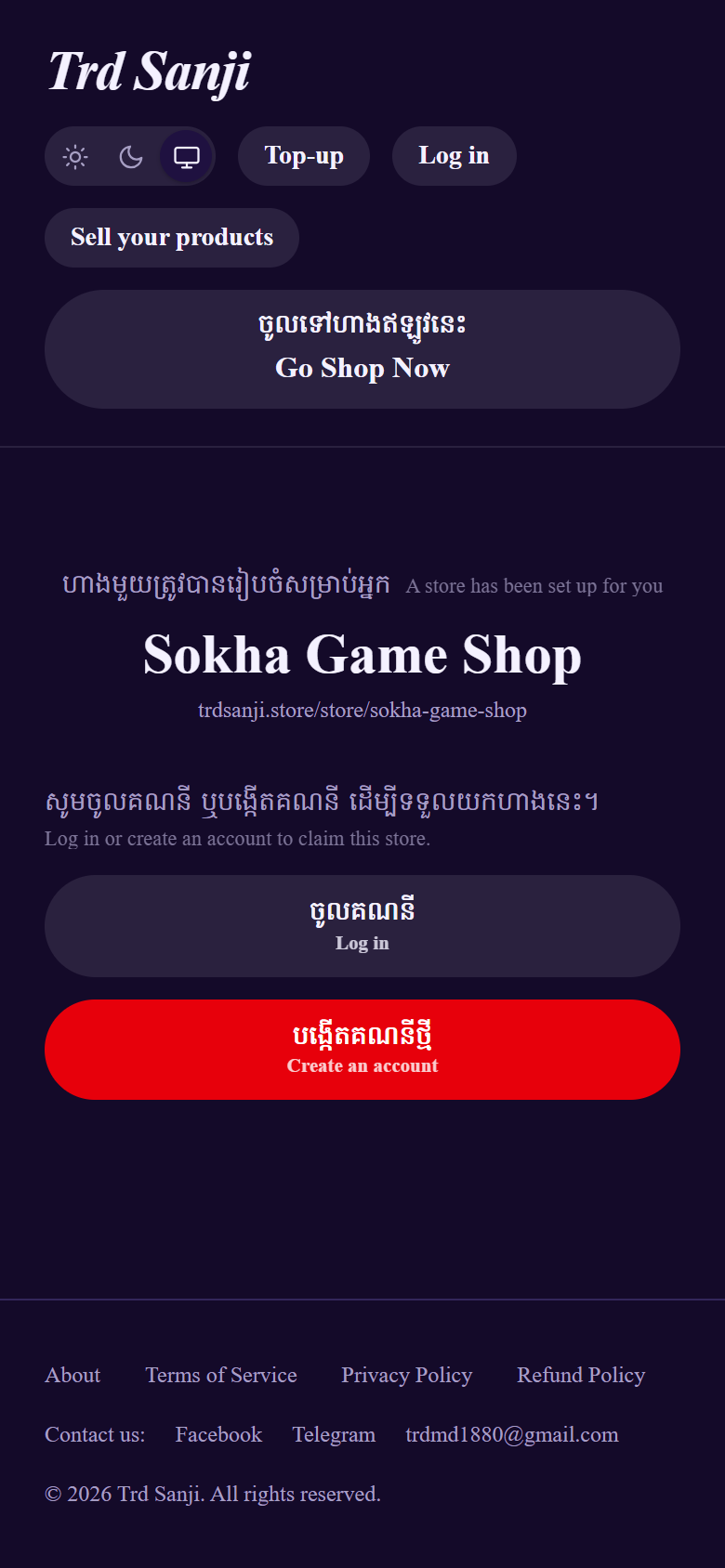
Open the link in Chrome or Safari: in Messenger or Telegram tap ⋯ → Open in browser (Google sign-in doesn't work inside Messenger's own browser). Check the page shows your store's name.
Your store's page, before signing in

2ចូលគណនីSign in

អ្នកថ្មី៖ ចុច «បង្កើតគណនីថ្មី» រួច Continue with Google (ងាយជាងគេ)។ មានគណនីហើយ៖ ចុច «ចូលគណនី»។
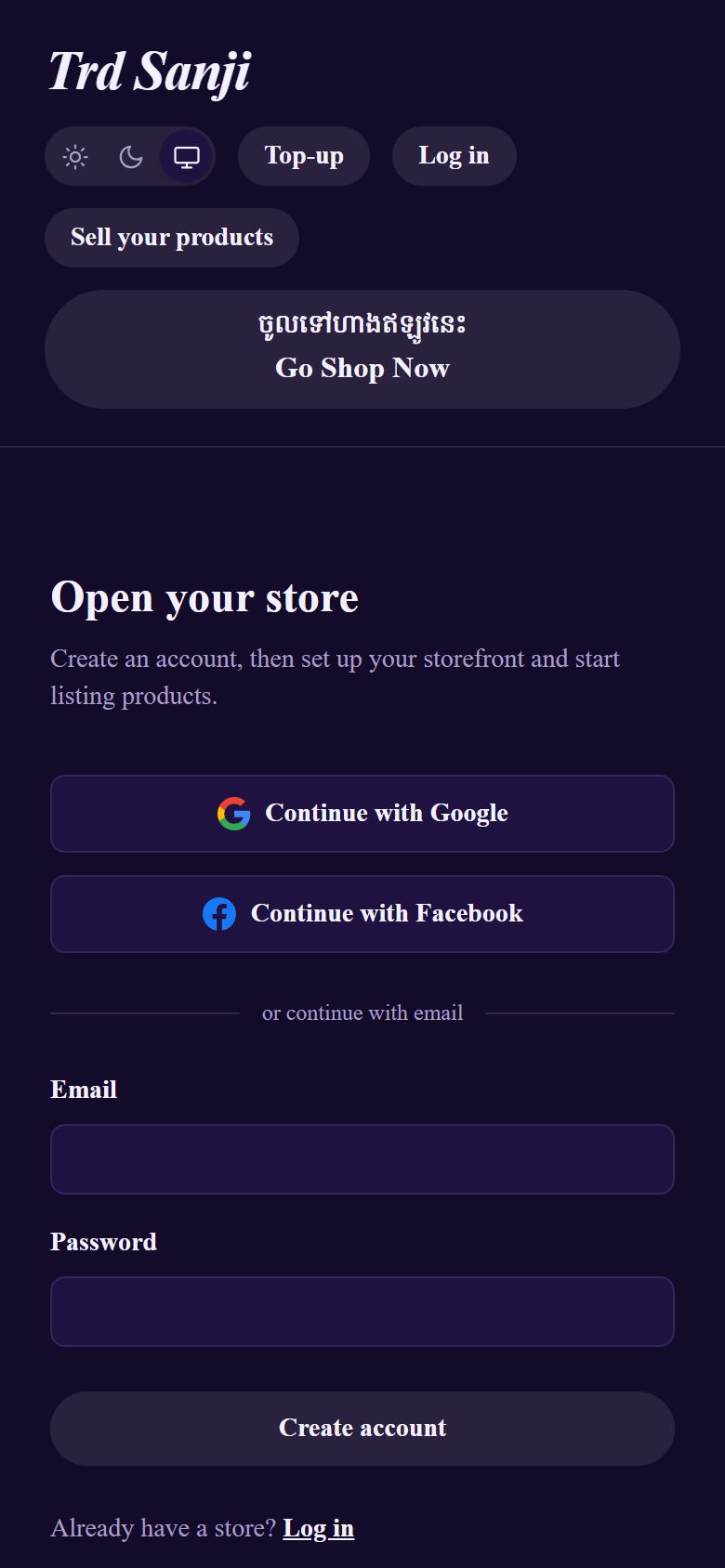
New here: tap Create an account, then Continue with Google, the easiest way. You can also use an email and password: open the confirmation email, tap its link, then log in. Already have an account: tap Log in.
Create an account: Continue with Google

3ទទួលយកហាងរបស់អ្នកClaim your store

បន្ទាប់ពីចូលគណនី អ្នកនឹងត្រឡប់មកទំព័រហាង។ ចុចប៊ូតុងពណ៌ក្រហម «ទទួលយកហាងនេះ»។
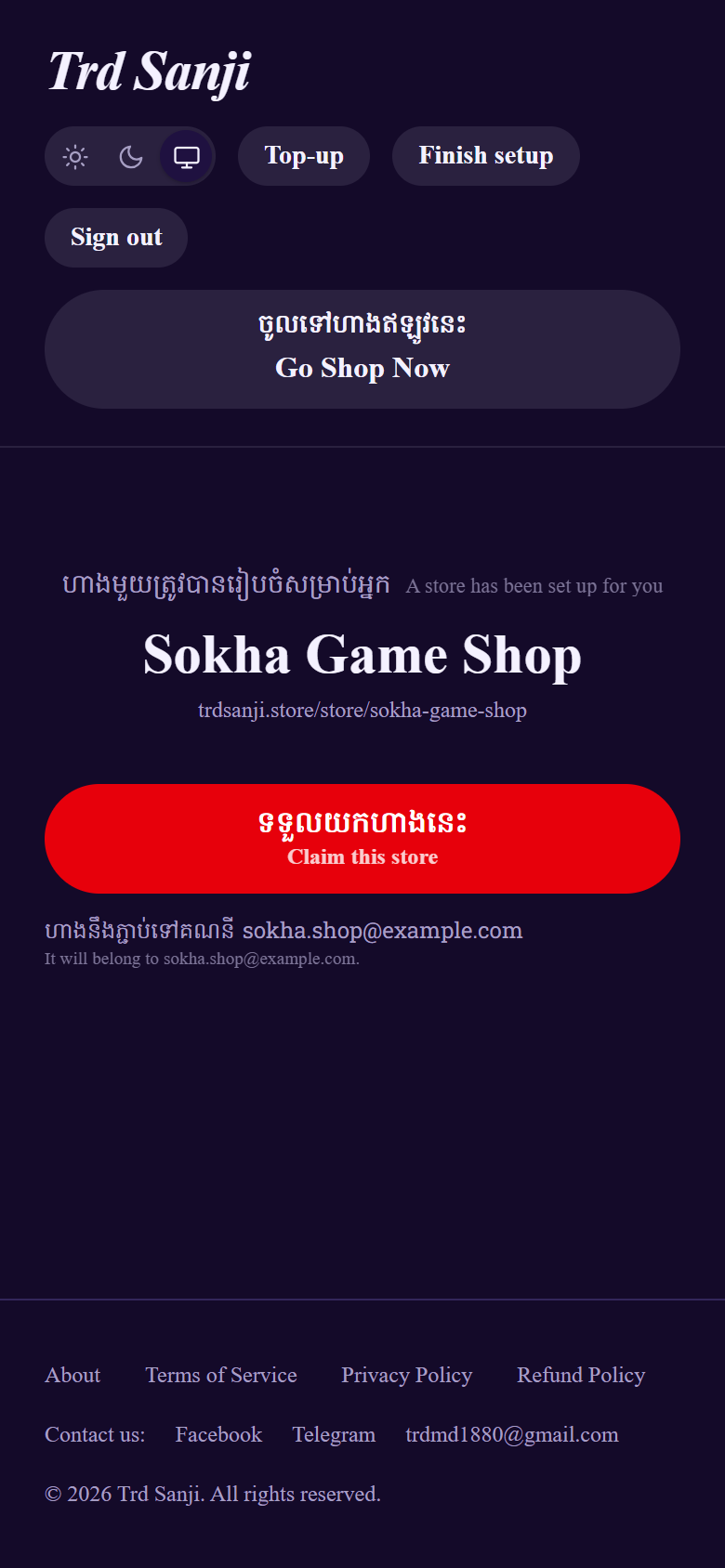
After signing in you come back to your store's page. Tap the red Claim this store button. The store now belongs to your account.
Tap Claim this store

4ភ្ជាប់ Telegram ឬ MessengerConnect Telegram or Messenger

តែមួយគឺគ្រប់គ្រាន់។ Telegram៖ ចុច Connect Telegram → Start → ត្រឡប់មកវិញ។ Messenger៖ ចម្លងតំណ Page រួចចុច Paste។

Only one is needed.
  • Telegram: tap Connect Telegram → Telegram opens → press Start → the bot replies "✅ Done!" → go back to the website. Your username fills in by itself.
  • Messenger: tap Open Facebook → go to your Page or profile → ⋯ → Copy link → come back → tap Paste.
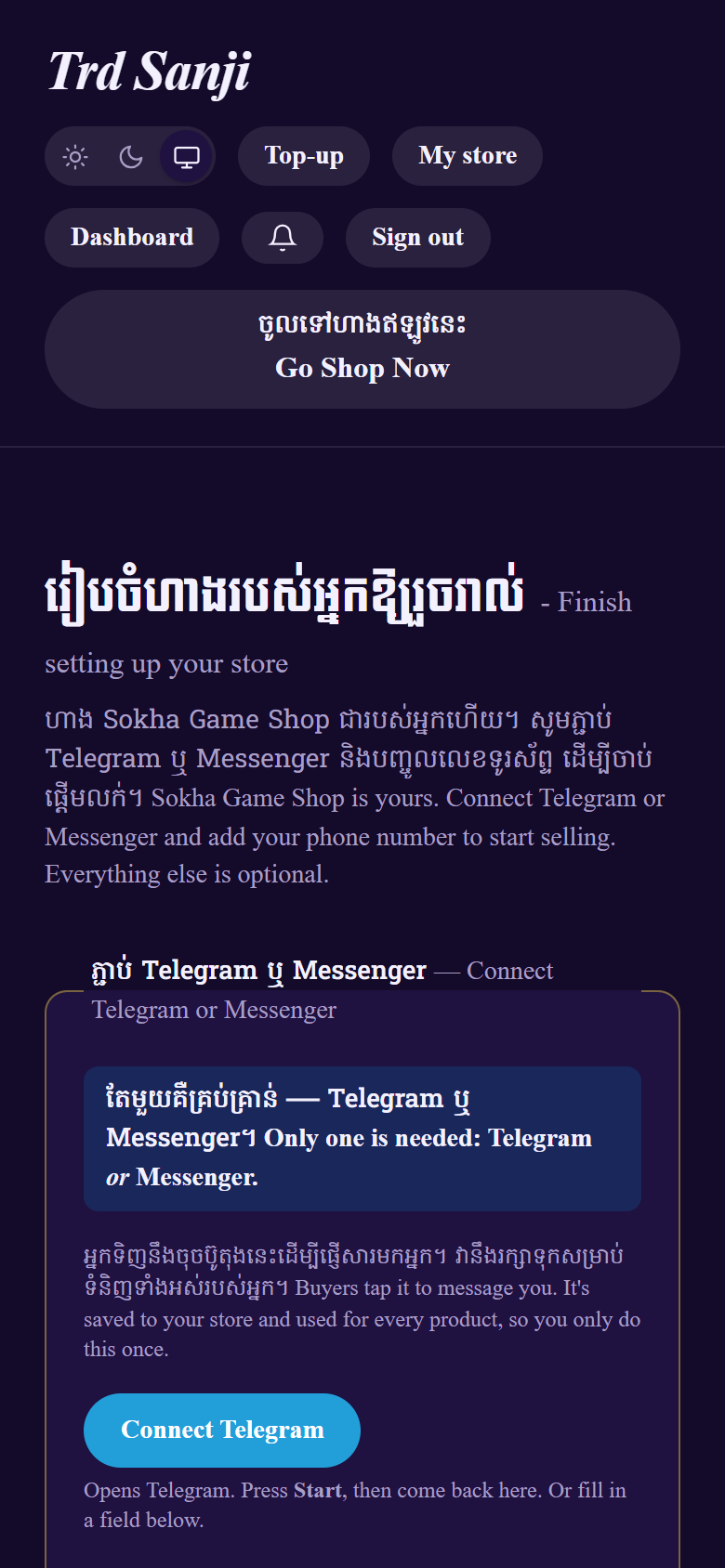
Finish setting up: Connect Telegram

5បញ្ចូលលេខទូរស័ព្ទ ហើយរក្សាទុកAdd your phone number and save

បញ្ចូលលេខទូរស័ព្ទ រួចចុច «រក្សាទុក ហើយចាប់ផ្តើមលក់»។ «ព័ត៌មានបន្ថែម» មិនចាំបាច់ទេ។
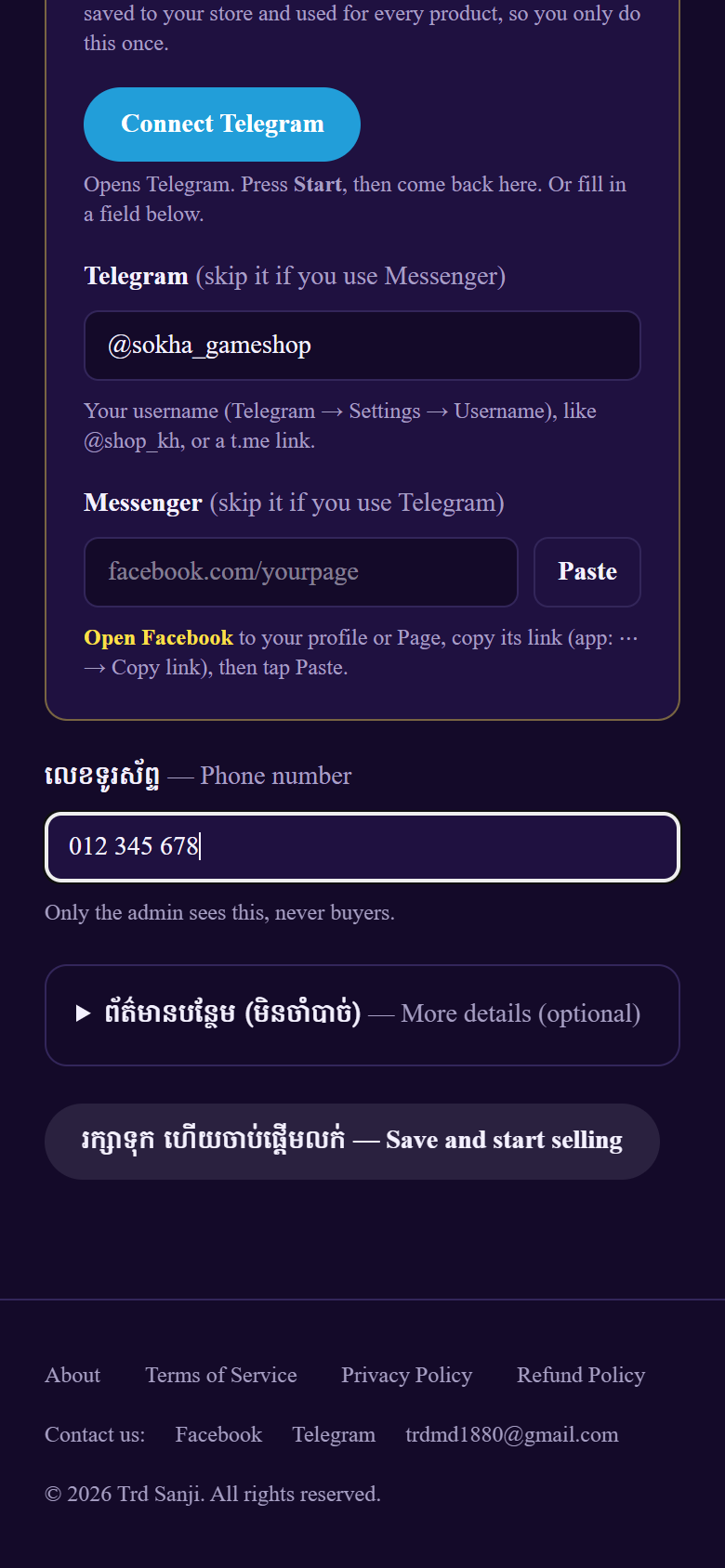
Type your phone number (only the admin sees it). More details is optional. Tap Save and start selling.
Phone number, then Save and start selling

6ហាងរបស់អ្នករួចរាល់Your store is ready

ផ្ទាំងគ្រប់គ្រងរបស់អ្នកបើកឡើង។ បន្ទាប់មក ដាក់ទំនិញលក់។
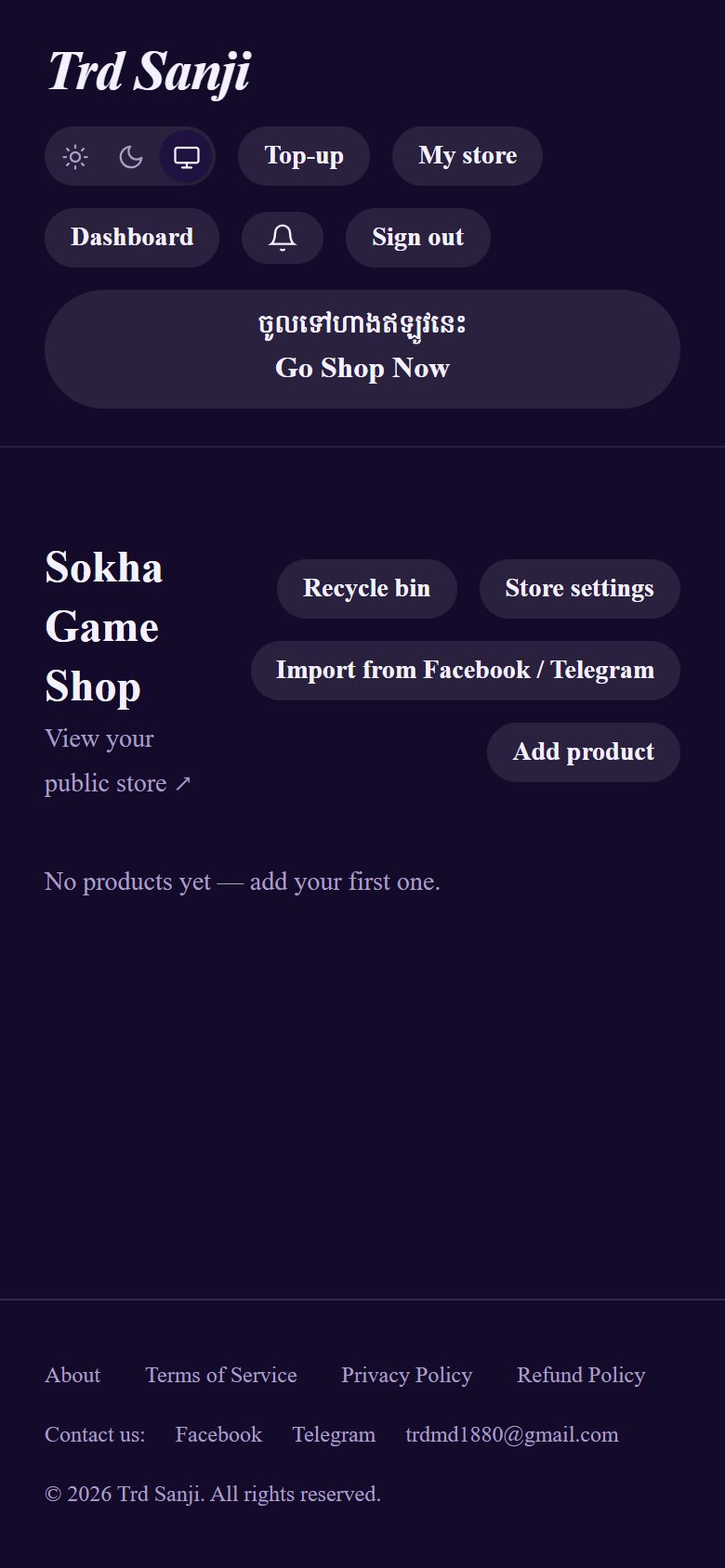
Your dashboard opens. View your public store ↗ is your shop's address to share with buyers. Next: add your products →
Your dashboard, ready for products

បើមានបញ្ហាIf something goes wrong

An "Apply to sell" form asking for your ID
Don't fill it in. Open your store link again and tap Claim this store. / កុំបំពេញ។ បើកតំណរបស់អ្នកម្តងទៀត។
"This link is no longer valid"
The store was already claimed, or the admin made a new link. Ask the admin for a new one. / សុំតំណថ្មីពីអ្នកគ្រប់គ្រង។
"This account already has a store"
One account holds one store. Log out and sign in with another Google account or email. / ប្រើគណនីផ្សេង។
Google sign-in shows an error
You're in Messenger's built-in browser. Tap ⋯ → Open in browser and try again. / បើកក្នុង Chrome ឬ Safari។
The Telegram bot says you have no username
Set one in Telegram → Settings → Username, then tap Connect Telegram again. / បង្កើត Username ជាមុនសិន។
The bot says the link was already used or expired
Each Connect button works once, for 30 minutes. Tap Connect Telegram again. / ចុច Connect Telegram ម្តងទៀត។
You were logged out
For safety, the site signs you out after 30 minutes without use. Log in again. / សូមចូលគណនីម្តងទៀត។

Still stuck? Send the admin a screenshot of the page. / ផ្ញើរូបថតអេក្រង់មកអ្នកគ្រប់គ្រង។